

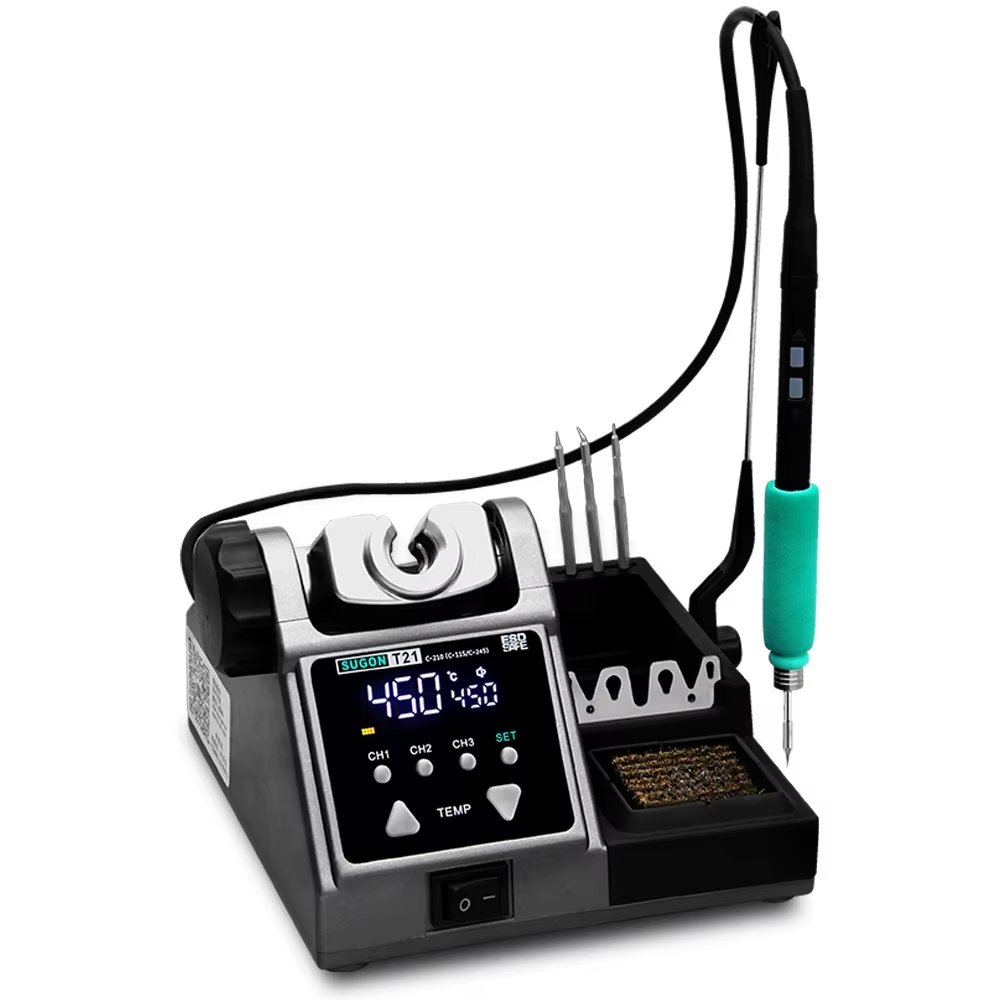
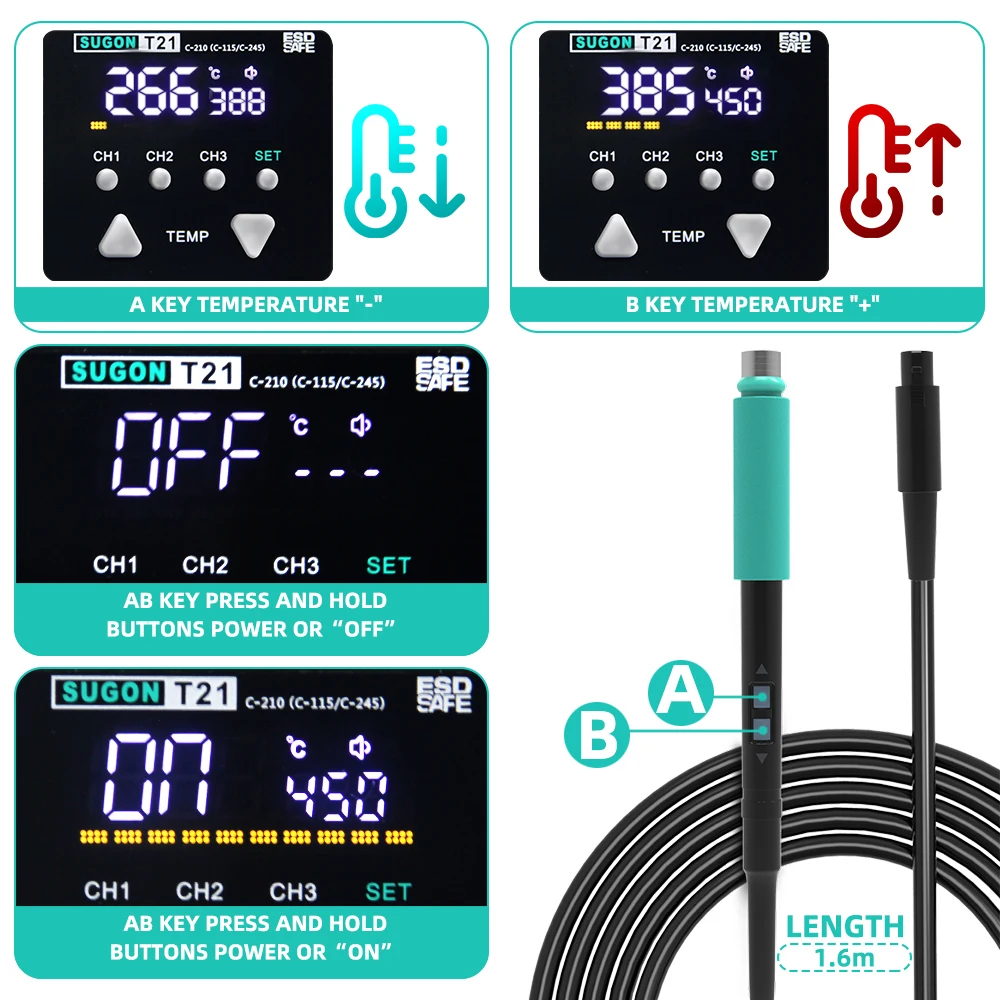
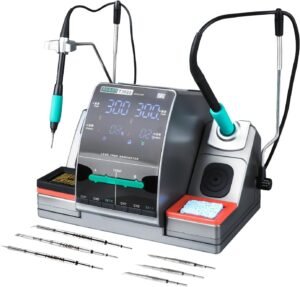
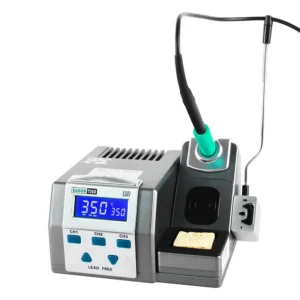
Want to adjust temperature without reaching for the base station? The SUGON T21 puts control directly in your hand—the T245 and T210 handles feature built-in temperature adjustment and power on/off, so you stay focused on your work instead of the controls.
This 120W station uses program chip temperature regulation for 2-second heat-up and precise thermal management. Available in T115, T210, or T245 configurations, it handles everything from microscope-level phone repair to heavy-duty ground plane work using JBC-compatible cartridges.
At a Glance
| Performance | Convenience |
|---|---|
| 120W maximum power output | Handle-mounted temperature control* |
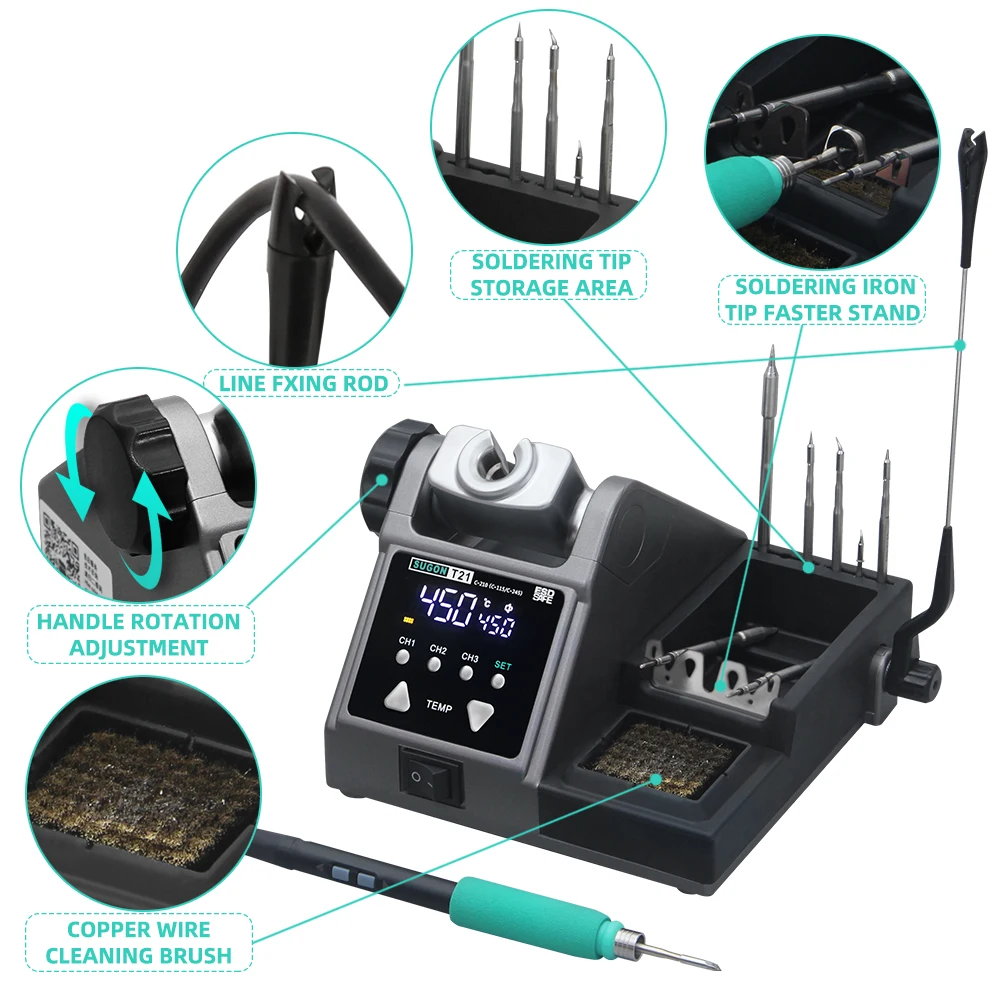
| 100°C – 450°C temperature range | 45° adjustable handle bracket |
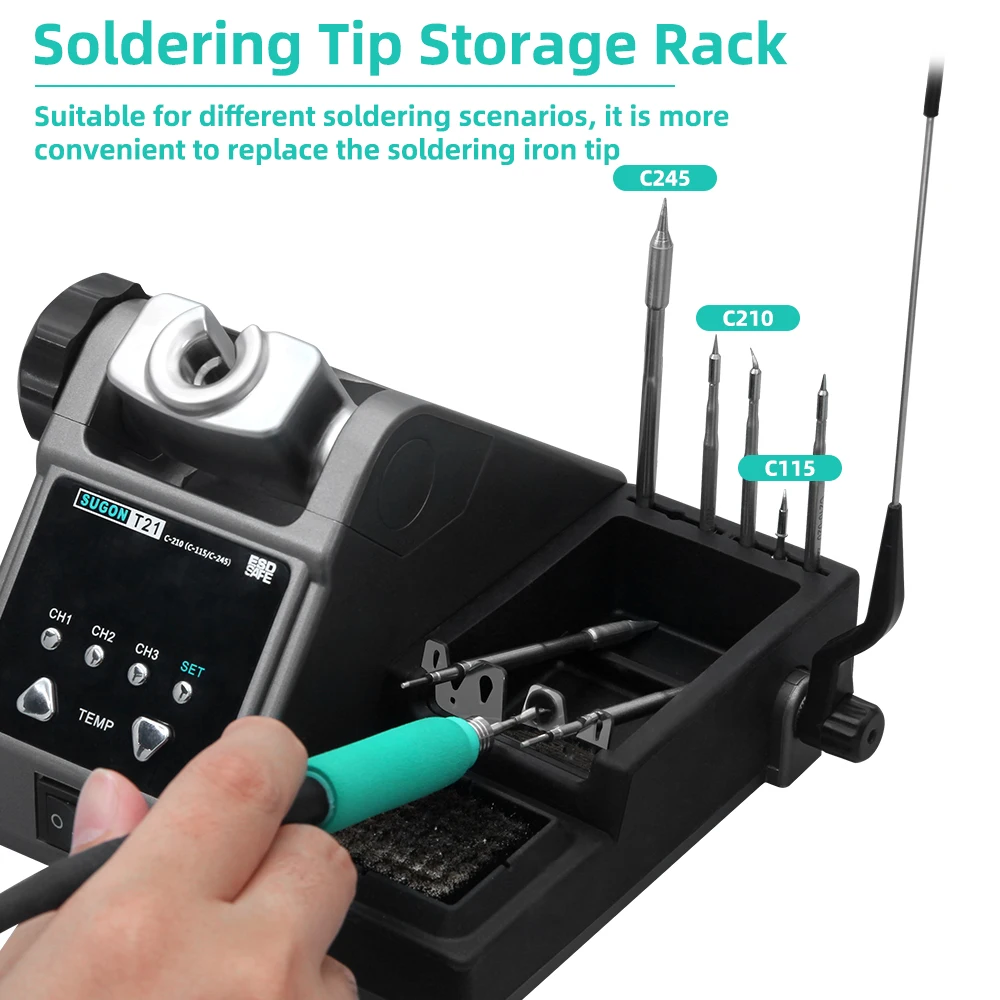
| ~2-second heat-up | Built-in copper wire tip cleaner |
| PID temperature control | Silicone cartridge storage strip |
| Real-time temperature compensation | Tool-free tip changer |
✓ Available in T115, T210, or T245 configuration ✓ Compatible with C470 cartridges (T245 handle) ✓ 3 memory channel presets ✓ 4 standby temperature options ✓ Auto-sleep with instant wake ✓ Short-circuit protection
*Handle control available on T245 and T210 only
Temperature Control at Your Fingertips
Most soldering stations keep controls on the base unit. Adjust temperature and you break focus, shift position, and interrupt your workflow. The SUGON T21 moves control to where it belongs—in your hand.
T245 and T210 handles feature:
→ Temperature adjustment directly on the handle → Power on/off without reaching for the station → Instant control changes while working → No workflow interruption
Important: The T115 handle does not include handle control functions. Temperature adjustment for T115 is via the base station only. Consider this when selecting your configuration.
Choose Your Configuration
The SUGON T21 is available in three configurations. Each includes the same base station with a different handle and matching cartridge set. Select based on your primary work.
SUGON T21 with T245 Handle
Best for: General bench work, console repairs, motherboards, large connectors
Handle control: Yes – full temperature and power control on handle
The T245 handle with C245 cartridges delivers maximum 120W power. It handles large solder joints, ground planes, shield cans, and HDMI port replacements. The larger cartridge size stores more thermal energy for demanding joints.
Bonus: The T245 handle also accepts C470 cartridges for extra-large thermal mass when C245 isn’t enough.
Choose T245 if you: → Repair gaming consoles regularly → Work on laptop motherboards → Need one setup that handles most tasks → Deal with large ground connections → Want full handle control capability
SUGON T21 with T210 Handle
Best for: Mobile phone repair, precision SMD work, small electronics, fine-pitch packages
Handle control: Yes – full temperature and power control on handle
The T210 handle with C210 cartridges offers a compact grip for precision work. It handles IC sockets, fine-pitch QFP and SOIC packages, small flying wires, and medium solder joints.
Choose T210 if you: → Repair mobile phones professionally → Do frequent SMD rework → Work on small electrical appliances → Need precision with decent thermal power → Want handle control for uninterrupted workflow
SUGON T21 with T115 Handle
Best for: Microscope-level micro-repair, ultra-fine circuits, multi-layer board work
Handle control: No – temperature adjustment via base station only
The T115 handle with C115 cartridges is designed for the smallest work. It handles 0402 and 0201 components, complex flying wires, tiny test pads, and delicate multi-layer board repairs.
Choose T115 if you: → Do specialised micro-soldering under magnification → Work on phone board component-level repair → Need minimal thermal footprint → Handle ultra-fine circuits regularly → Don’t require handle-mounted controls
Quick Selection Guide
| Configuration | Handle Control | Primary Use | Solder Joint Size |
|---|---|---|---|
| T245 | Yes | General bench, consoles, motherboards | Large to medium |
| T210 | Yes | Phone repair, SMD work | Medium to small |
| T115 | No | Microscope work, ultra-fine circuits | Tiny to micro |
Not sure? Choose T245 for versatility with handle control, or T210 if phone repair is your focus.
Program Chip Temperature Control
Traditional soldering stations use AC voltage to regulate temperature. This creates lag, overshoot, and inconsistent heat. The SUGON T21 uses program chip control instead.
| Traditional AC Control | SUGON T21 Chip Control |
|---|---|
| Slow temperature response | ~2-second heat-up |
| Temperature lag under load | Real-time compensation |
| Overshoot and undershoot | Precise regulation |
| Inconsistent accuracy | Set 350°C, get 350°C |
The chip monitors temperature continuously and adjusts power delivery in real time. Your cartridge maintains the set temperature even when heat transfers to large pads, ground planes, or thermal mass.
Temperature Compensation
Heat flows from your tip to your work. Without compensation, tip temperature drops during soldering. Cold joints happen. You wait for recovery.
The T21 compensates automatically:
→ Detects temperature drop during soldering → Increases power delivery instantly → Maintains set temperature throughout the joint → No waiting for thermal recovery
Your tip stays at the temperature you set—throughout every joint, every session.
Included Cartridge Tips
Each configuration includes three cartridge tips in shapes suited to different tasks:
| Tip | Shape | Best For |
|---|---|---|
| I Tip | Chisel/Cutter | Drag soldering, larger joints, maximum heat transfer |
| IS Tip | Small Chisel | Medium joints, general-purpose, tighter access |
| K Tip | Pointed/Conical | Tiny joints, flying wires, precision between pins |
All three tip shapes come in the cartridge size matching your selected configuration (C115, C210, or C245).
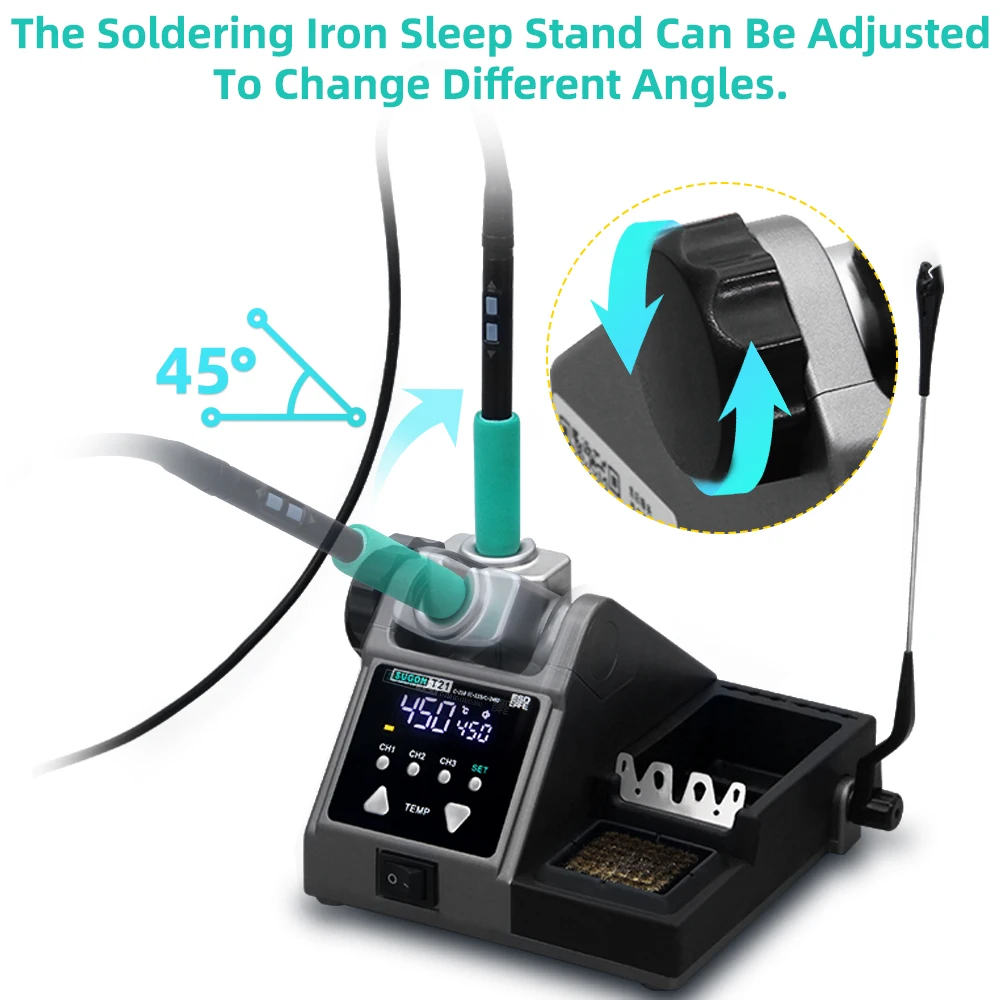
45° Adjustable Handle Bracket
Ergonomics matter during extended sessions. The T21’s handle bracket adjusts 45° up and down to match your working position.
Benefits:
→ Find your optimal working angle → Reduce wrist strain during long sessions → Accommodate different bench heights → Position for seated or standing work
Set it once, work comfortably all day.
Built-In Copper Wire Tip Cleaner
The integrated copper wire brush cleans your tip without thermal shock. Unlike wet sponges that cool your tip with every wipe, copper wire cleaning:
→ Removes oxidation and flux residue → Maintains tip temperature → Extends cartridge life → Keeps you working without interruption
Always within reach. Always ready. The best method for tip maintenance built right into the station.
Silicone Cartridge Storage
Hot cartridges need somewhere safe to cool. The built-in silicone storage strip provides:
→ Heat-resistant temporary storage → Safe placement for just-removed cartridges → Organised access to spare tips → Protection for your bench surface
Swap cartridges confidently. The storage strip handles the heat while you continue working.
Tool-Free Tip Changer
Switching cartridges shouldn’t require hunting for tools. The T21 makes changes fast:
- Remove hot cartridge to silicone storage
- Insert new cartridge
- Continue working
No screws. No tools. No fumbling. Change tip profiles as your work demands.
Three Memory Presets
Store your preferred temperatures and recall instantly:
| Action | Function |
|---|---|
| Short press (1 second) | Recall stored preset |
| Long press (3 seconds) | Store current temperature |
Example setup:
| Preset | Temperature | Application |
|---|---|---|
| 1 | 320°C | Leaded solder work |
| 2 | 365°C | Lead-free soldering |
| 3 | 380°C | Ground planes, thermal pads |
Switch between tasks without manual adjustment every time.
Four Standby Temperature Options
When the handle rests in the bracket, choose your standby behaviour:
| Setting | Behaviour | Best For |
|---|---|---|
| 0°C | Completely off | End of session, maximum tip protection |
| 150°C | Low standby | Extended breaks |
| 180°C | Medium standby | Balanced protection and speed |
| 200°C | High standby | Frequent use, fastest wake-up |
Lower settings extend cartridge life. Higher settings mean faster return to working temperature.
Auto-Sleep Protection
Place the handle in the bracket and the station enters sleep mode immediately. Lift it and heat returns in seconds.
What auto-sleep delivers:
→ Instant activation when holstered → Reduced tip oxidation during idle → Extended cartridge lifespan → Energy savings → Immediate wake-up when lifted
Protection without waiting. Your workflow stays smooth.
Short-Circuit Protection
Mechanical short-circuit protection monitors the system continuously. If a short occurs:
→ Station stops running immediately → Internal components protected → No damage to the machine → Resume work after clearing the fault
Essential protection for the station itself—especially valuable in busy workshops.
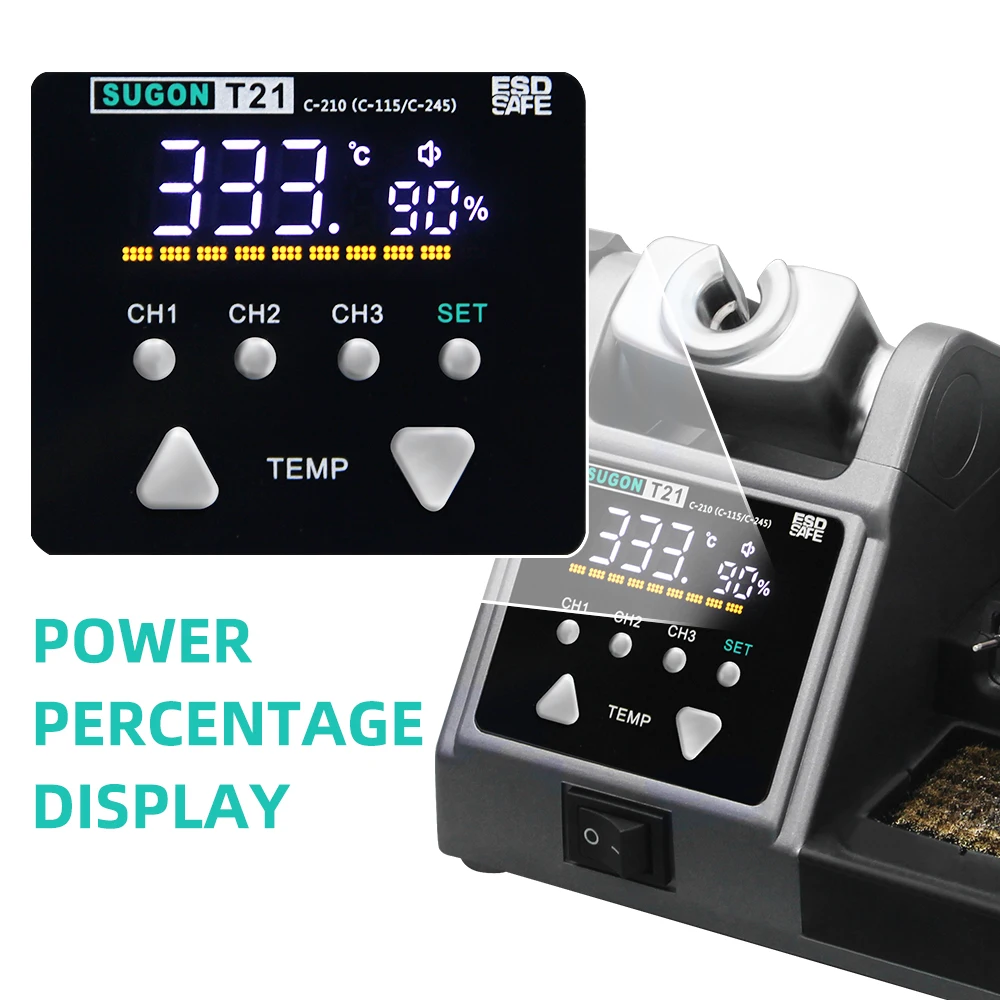
Temperature and Power Display
The display shows both temperature and heating percentage in real time:
→ Set temperature — What you’ve dialled in → Actual temperature — Current tip reading → Heating percentage — Power being delivered
Watch thermal recovery happen. See exactly how hard the station is working. Understand what’s happening at your tip.
Additional Features
Celsius/Fahrenheit Conversion Switch display units to match your preference or regional guides.
Key Lock Function Lock temperature settings to prevent accidental changes. Essential in shared workshops.
Buzzer Control Enable or disable audio feedback based on your preference.
Universal Voltage AC 110V/220V compatibility. Works worldwide with UK power.
What You Can Repair and Build
Phone Repair (T210 or T115 configuration) Handle control on T210 keeps you focused on the board, not the base station. Adjust temperature without looking away from your microscope.
Console Repairs (T245 configuration) T245 delivers power for HDMI ports and ground planes. Handle control means quick adjustments as you move between joint types.
PCB Prototyping (Any configuration) Memory presets store settings for different components. Auto-sleep protects your investment between tasks.
Professional Workshops (T245 or T210 configuration) Handle control increases throughput. Less reaching, less interruption, more repairs completed.
Technical Specifications
| Specification | Value |
|---|---|
| Power Output | 120W (MAX) |
| Input Voltage | AC 110V / AC 220V (Universal) |
| Frequency | 50-60Hz |
| Temperature Range | 100°C – 450°C (212°F – 842°F) |
| Temperature Control | Program chip with PID regulation |
| Memory Presets | 3 |
| Standby Temperatures | 4 options (0°C, 150°C, 180°C, 200°C) |
| Heat-Up Time | ~2 seconds |
| Dimensions | 240 × 210 × 177mm |
| Handle Control | T245 and T210 only |
| Compatible Cartridges | JBC-style C115, C210, C245, C470* |
*C470 compatible with T245 handle only
What’s in the Box
| Quantity | Item |
|---|---|
| 1x | SUGON T21 base station |
| 1x | Handle (T115, T210, or T245 as selected) |
| 3x | Soldering cartridges (I, IS, K tips in matching size) |
| 1x | Handle bracket with 45° adjustment |
| 1x | Copper wire tip cleaner (integrated) |
| 1x | Silicone cartridge storage strip |
| 1x | Power cable |
| 1x | User manual |
Cartridge Compatibility
The SUGON T21 works with JBC-style cartridges matching your selected handle:
| Handle | Compatible Cartridges |
|---|---|
| T115 | C115 series |
| T210 | C210 series |
| T245 | C245 series, C470 series |
Most third-party and genuine JBC cartridges fit without issues. The C115 system has more compatibility variations between manufacturers—verify before purchasing replacements.
What Makers Are Saying
“The handle temperature control is a game changer. I’m under the microscope all day doing phone repairs—being able to adjust temperature without looking away from my work speeds everything up. Went with T210 and it’s perfect.”
“Chose the T245 configuration for general bench work. Handle control plus C470 compatibility means I can handle anything from fine SMD to chunky ground planes. The built-in brass cleaner and cartridge storage are nice bonuses too.”


