

The RELIFE MC1 is a 60MP / 4K microscope camera built for micro-soldering, PCB inspection, and BGA work — the kind of detail eyes alone can’t reliably catch. Here’s what it actually does, what it doesn’t include, and whether it’s worth the £99.
Verdict: yes, if you already have (or plan to buy) a CS-mount lens and a monitor or PC to display the feed. The camera itself delivers genuine 60MP stills and 4K/30fps video with triple output flexibility (HDMI/USB-C/TF card), at a lower price than comparable UK retail listings. It’s camera-only, though — no lens, stand, or screen in the box.
UK stock · dispatched within 2 business days · free UK shipping on every order · 60-day returns · 12-month warranty
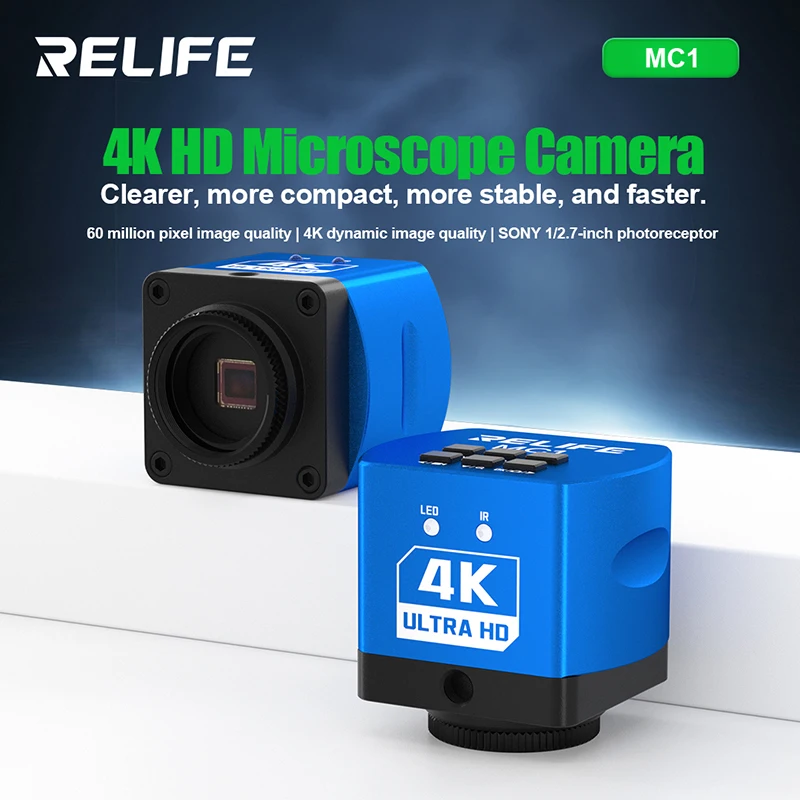
RELIFE MC1 4K Microscope Camera
60MP stills · 4K/30fps video · HDMI/USB-C/TF card output · CS lens mount
1/2.7-inch CMOS progressive scan sensor, 69dB dynamic range, plug-and-play on Windows and Mac. Designed to mount on a trinocular microscope, boom stand, or repair fixture for hands-free, on-screen inspection.
Pros and Cons
Pros
- Genuine 60MP stills and 4K/30fps video, not marketing-inflated numbers
- Three simultaneous output options (HDMI, USB-C, TF card) covers most workflows
- Plug-and-play, no driver installation on Windows or Mac
- Standard CS lens mount works with common microscope optics
- £99 undercuts comparable UK retail listings (e.g. £143.99 at other stockists)
Cons
- Camera only — no lens, microscope, stand, or monitor included
- Needs a compatible boom stand or trinocular microscope to actually mount it
- 4K output is capped at 30fps (1080p goes to 60fps if you need smoother motion)
- No autofocus — manual focus via your microscope’s optics
What’s Actually in the Box
Worth being upfront about: this is a camera-only product. The box includes the RELIFE MC1 camera unit and connection cables — not a lens, not a microscope stand, and not a monitor. If you’re starting from zero, budget for a CS-mount lens and a display (HDMI monitor, or just your PC via USB-C) alongside the camera itself. If you already run a trinocular microscope or boom stand with a CS-mount port, this slots straight in.
Full Specifications
| Spec | Detail |
|---|---|
| Photo resolution | 60MP (10368 × 5888) |
| Video resolution | 4K (3840 × 2160) / 1080p / 720p |
| Sensor | 1/2.7-inch CMOS, progressive scan |
| HDMI output | 4K@30fps or 1080p@60fps |
| USB-C (PC) output | 4K@30fps or 1080p@30fps |
| Lens interface | CS mount |
| Power | 5V via USB-C, 600mA working current |
| Dynamic range | 69dB |
| Shutter | Electronic |
Who Should Buy This
Best for: mobile phone motherboard repair technicians tracing damaged traces, BGA reballing and chip alignment where precision placement matters, PCB fault detection and quality control, and hobbyists doing fine soldering work who are tired of hunching over a loupe or eyepiece for hours. If you’re already working under a trinocular microscope or boom-mounted setup, the MC1 is a straightforward upgrade to get that view on a screen — easier on your neck, and easy to document or share with customers.
Not for you if: you need a complete out-of-box microscope solution with lens and stand included, or if you need autofocus for fast-changing subjects. Check your existing microscope has a CS-mount port before buying, since that’s the only lens interface this camera supports.
Frequently Asked Questions
Does the RELIFE MC1 come with a lens or microscope?
No. The box includes the camera unit and connection cables only. You’ll need a CS-mount lens or an existing trinocular microscope/boom stand with a CS-mount port to use it.
Can I use the RELIFE MC1 without a computer?
Yes. It has three output options: HDMI (straight to a monitor), USB-C (to a PC), and a TF card slot for recording without any computer or monitor connected at all.
Is 60MP / 4K overkill for soldering work?
Not really — the resolution matters for catching hairline cracks, fine solder bridges, and BGA ball alignment that lower-resolution cameras compress into blur. You won’t need to shoot at full 60MP for every job, but having the headroom for detailed inspection or documentation is the point.
Does it work with Mac as well as Windows?
Yes, it’s plug-and-play on both without needing separate driver installation.
Browse the full range of microscopes and inspection equipment.
Browse Soldering Equipment →