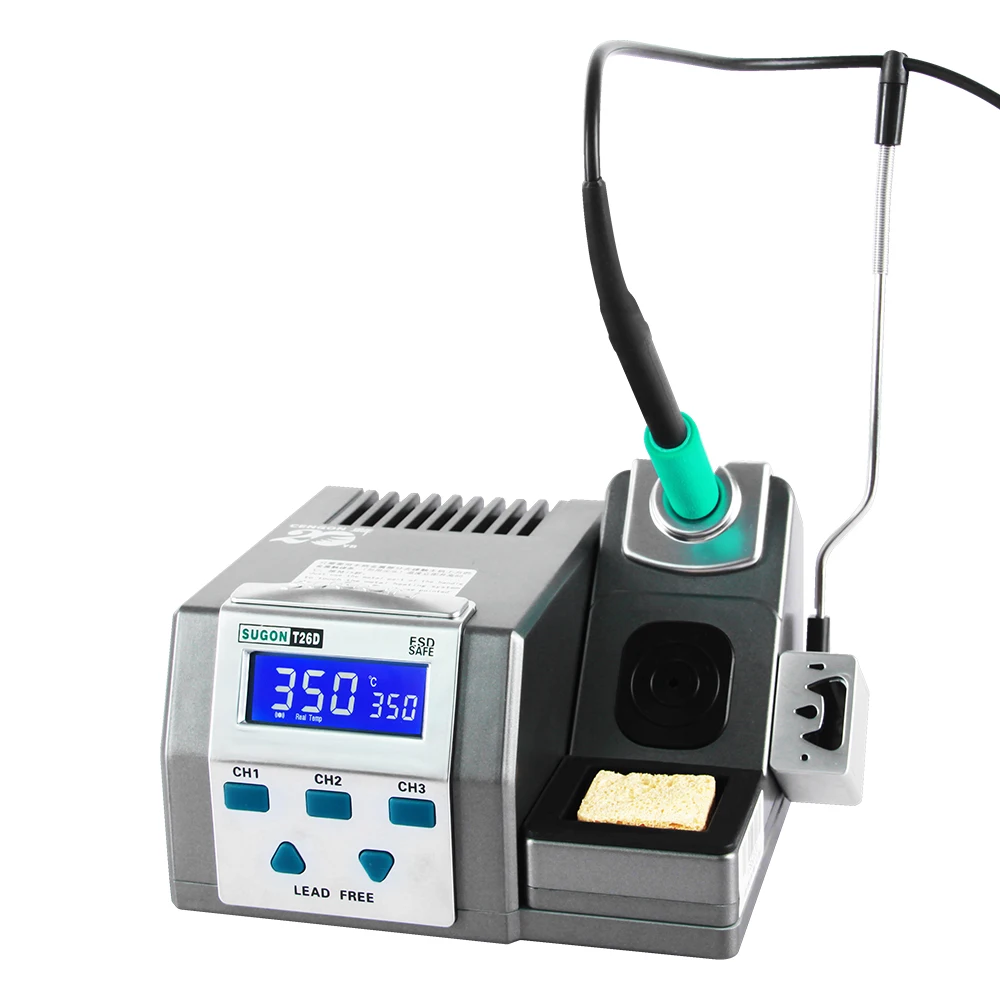
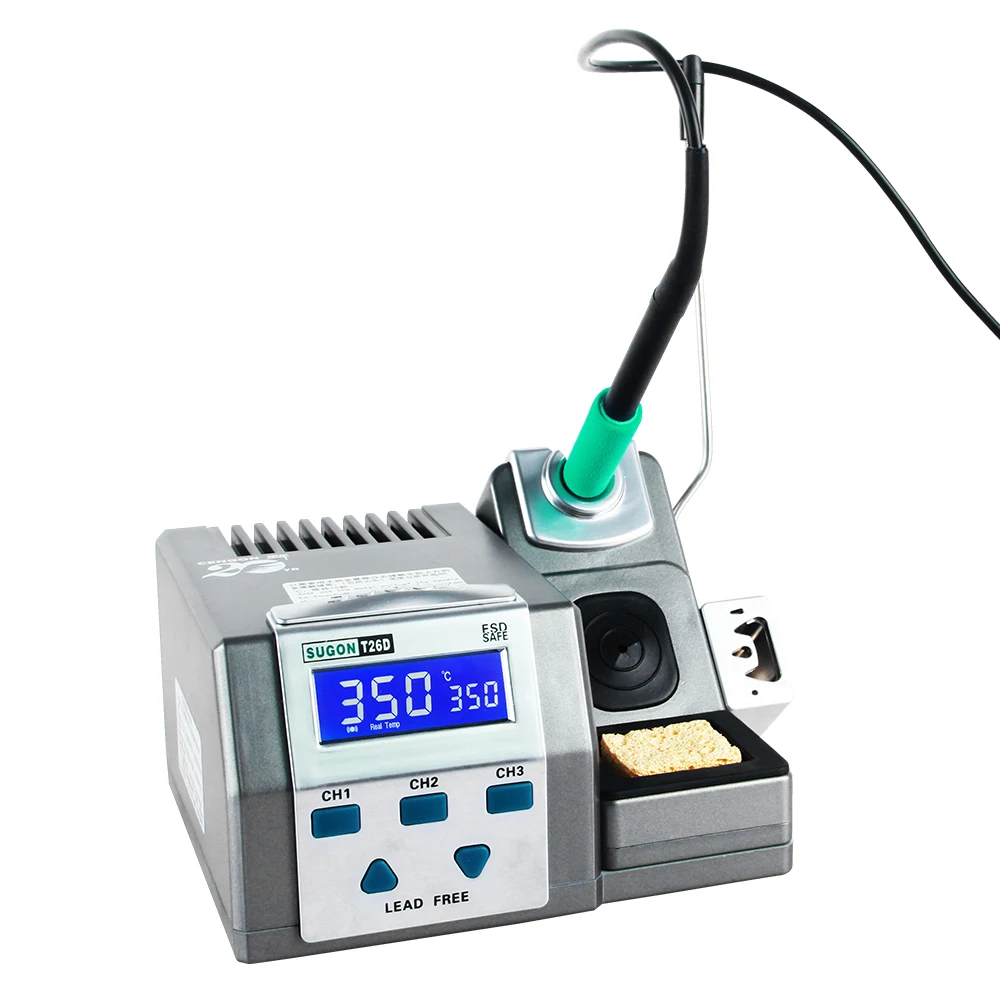
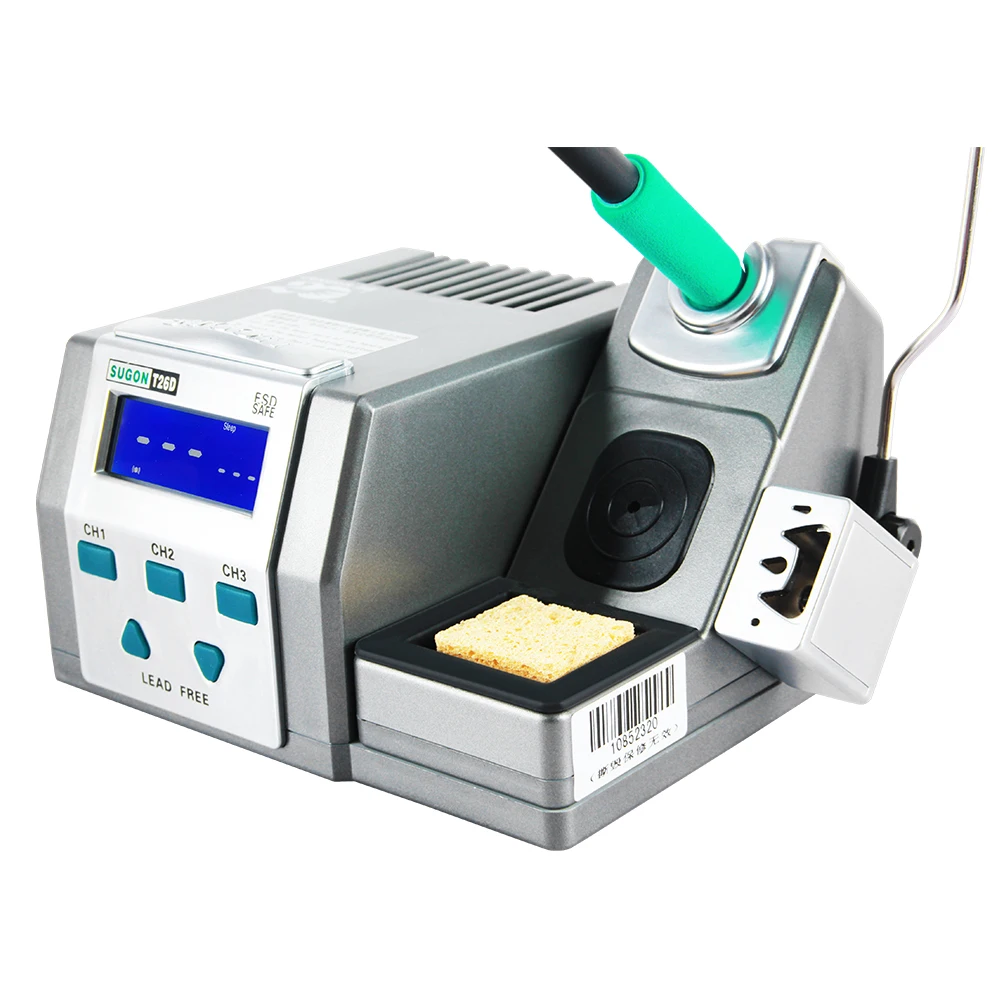

SUGON T26D Soldering Station with 2-Second Rapid Heating
Want professional soldering speed without the complexity? The SUGON T26D delivers 120W of power with 2-second rapid heating and a clean, focused feature set. No unnecessary extras—just fast heat-up, precise temperature control, and the C210 cartridge system trusted by repair technicians.
This lead-free compatible station uses an LED digital display for clear temperature feedback and includes a universal original handle designed for comfortable all-day use. Three C210 cartridges included means you’re ready to work straight from the box.
At a Glance
| Performance | Convenience |
|---|---|
| 120W power output | LED digital display |
| 200°C – 500°C temperature range | Universal original handle |
| 2-second rapid heating | Auto-sleep function |
| Lead-free solder compatible | Tap-to-boost temperature feature |
| Consistent temperature control | Breathing lamp status indicator |
✓ 3x C210 cartridges included ✓ 3 memory preset channels ✓ 4 standby temperature options ✓ Temperature calibration function ✓ Universal voltage (110V/220V)
2-Second Rapid Heating
Waiting for your iron to heat up breaks focus and wastes time. The SUGON T26D reaches working temperature in approximately 2 seconds from standby.
What rapid heating delivers:
→ Start working almost instantly → Minimal downtime between tasks → Quick recovery after touching cold pads → Efficient workflow throughout your session
The heating system maintains speed even under thermal load. Touch a ground plane, watch temperature recover in seconds—not minutes.
Tap-to-Boost: Instant Temperature Increase
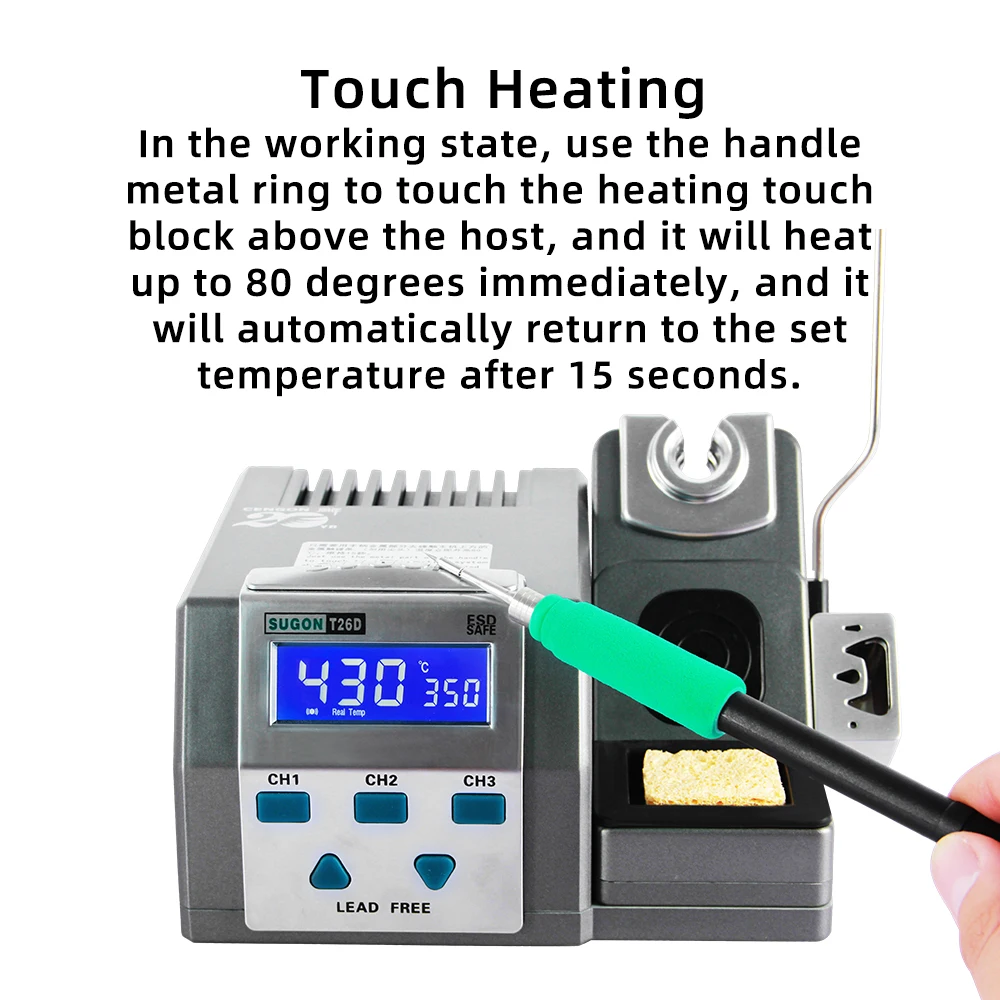
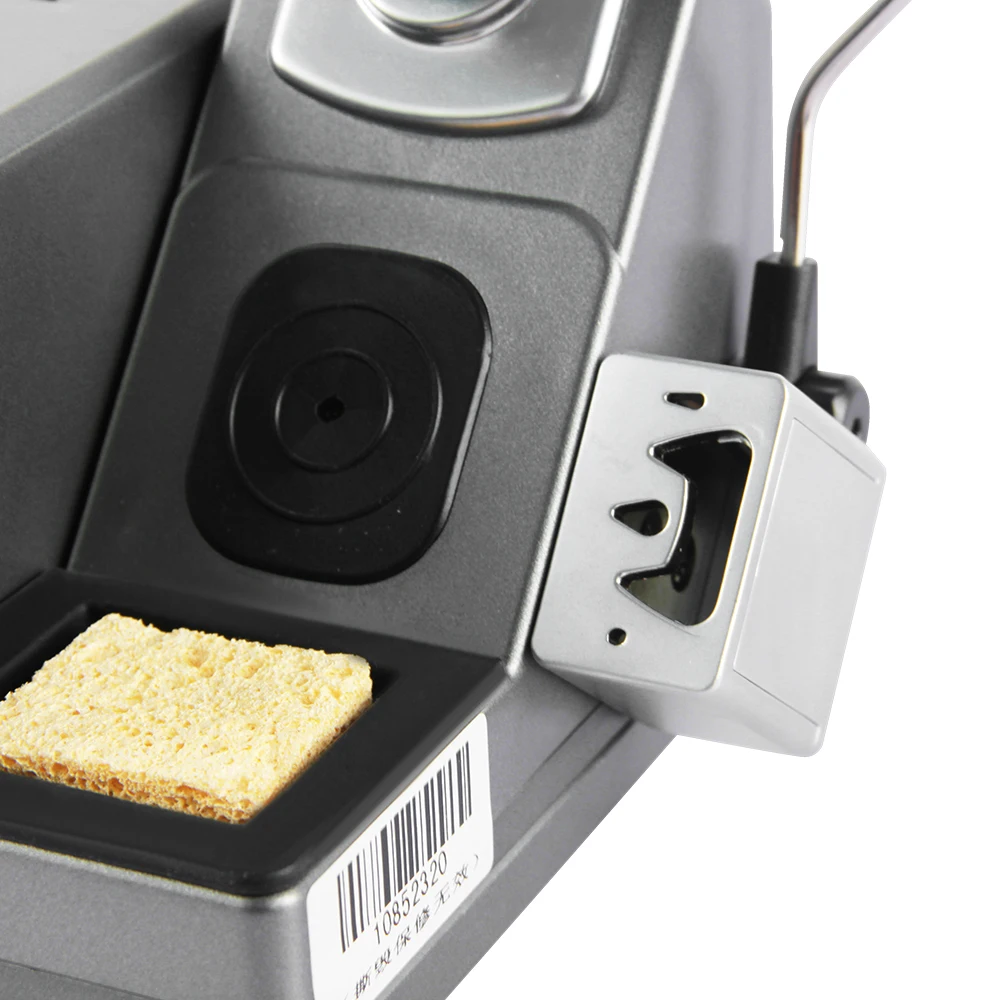
Encounter a stubborn solder joint that needs more heat? Don’t fumble with settings. Simply tap the handle against the heating touch block on top of the station.
How it works:
- Tap handle on the heating touch block
- Temperature rises 80°C above your set point
- Boost lasts for 15 seconds
- Temperature automatically returns to original setting
Why this matters:
→ No manual temperature adjustment needed → Handle large ground planes without changing settings → Quick boost for stubborn joints → Automatic return—no forgetting to lower temperature
Working at 350°C and hit a thermal pad? Tap for 430°C boost, complete the joint, and the station returns to 350°C automatically. Practical, fast, and intuitive.
120W Power System
Serious thermal power for demanding work. The 120W heating system handles:
| Challenge | T26D Response |
|---|---|
| Large ground planes | Sustained heat delivery + tap-to-boost |
| Lead-free solder | Higher temperatures maintained |
| Thermal pads | Fast recovery, no temperature sag |
| Continuous work | Consistent power throughout |
Whether you’re working on laptop motherboards, gaming consoles, or industrial control boards, the power system keeps up with your demands.
LED Digital Display
Clear, bright LED display shows your temperature settings without squinting or guessing:
→ Set temperature — What you’ve dialled in → Actual temperature — Real-time tip reading → Status indication — Current operating mode → Boost indicator — Shows when tap-to-boost is active
Simple, readable feedback in any workshop lighting. Know exactly what’s happening at your tip.
Breathing Lamp Status Indicator
The integrated breathing lamp provides visual feedback on station status:
→ See operating state at a glance → Know when the station is heating → Confirm sleep mode activation → Visual confirmation without checking the display
Useful when you’re focused on your work and want peripheral awareness of station status.
Universal Original Handle
The original handle design prioritises comfort during extended soldering sessions:
Ergonomic features:
→ Comfortable grip for all-day use → Balanced weight distribution → Natural hand position → Reduced fatigue during long sessions
Professional repair work means hours at the bench. The handle design supports that reality.
C210 Cartridge System
The SUGON T26D uses the popular C210 cartridge system—the same format trusted by phone repair technicians and SMD specialists worldwide.
C210 advantages:
→ Compact size for precision work → Fast thermal response → Wide tip variety available → Compatible with third-party cartridges
Included cartridges:
| Cartridge | Shape | Best For |
|---|---|---|
| C210-I | Chisel/Cutter | Drag soldering, connectors, efficient heat transfer |
| C210-IS | Small Chisel | General-purpose SMD, medium joints |
| C210-K | Pointed/Conical | Fine-pitch work, flying wires, precision |
Three tips cover the range of typical SMD and precision work. Add more profiles as your needs expand.
Lead-Free Soldering Ready
Modern electronics require lead-free solder. The SUGON T26D handles lead-free requirements without compromise:
→ Temperature range up to 500°C → 120W power for higher melting points → Fast thermal recovery at elevated temperatures → Tap-to-boost for extra heat when needed → Consistent heat for proper lead-free flow
RoHS-compliant work? No problem. The station delivers the heat lead-free alloys demand.
Auto-Sleep Protection
Set the iron down and the station enters sleep mode automatically. Temperature drops to protect your cartridge from oxidation.
What auto-sleep delivers:
→ Extended cartridge lifespan → Reduced tip oxidation → Energy savings during idle → Instant wake-up when you resume
Pick up the iron and working temperature returns in approximately 2 seconds. Protection without interrupting your workflow.
Three Memory Presets
Store your preferred temperatures and recall instantly:
| Action | Function |
|---|---|
| Short press | Recall stored preset |
| Long press | Store current temperature |
Example setup:
| Preset | Temperature | Application |
|---|---|---|
| CH1 | 320°C | Leaded solder work |
| CH2 | 380°C | Lead-free soldering |
| CH3 | 420°C | Stubborn joints, thermal mass |
Switch between tasks without manual adjustment every time.
Four Standby Temperature Options
When the iron rests in the holder, choose your standby behaviour:
| Setting | Behaviour | Best For |
|---|---|---|
| 0°C | Completely off | End of session, maximum protection |
| 100°C | Very low standby | Long breaks |
| 150°C | Low standby | Extended pauses |
| 180°C | Medium standby | Frequent use, fast wake-up |
Lower settings extend cartridge life. Higher settings mean faster return to working temperature.
Tool-Free Tip Changer
Swap cartridges quickly without hunting for tools:
- Remove current cartridge to storage strip
- Insert new cartridge
- Continue working
The integrated storage strip holds hot cartridges safely while they cool. No fumbling, no burns, no interruption.
Temperature Calibration
Maintain accuracy as cartridges wear:
To enter calibration mode: Press and hold CH1 + CH3 simultaneously until display shows “350” flashing and “CalTemp” appears.
Recalibrate when: → Installing new cartridges → Readings seem inaccurate → Periodic verification checks
Professional accuracy maintained throughout the station’s life.
Quick Settings Guide
| Function | How To Access |
|---|---|
| °C/°F Conversion | Press UP + DOWN simultaneously at power-on |
| Buzzer On/Off | Press and hold CH1 + CH2 at power-on |
| Temperature Calibration | Press and hold CH1 + CH3 until “CalTemp” displays |
| Tap-to-Boost | Tap handle on heating touch block (+80°C for 15 seconds) |
Simple button combinations for all settings—no complex menus to navigate.
What You Can Repair and Build
Phone Repair C210 cartridges are the phone repair standard. Fine-pitch work on charging ICs, audio codecs, and power management chips. The 2-second heat-up keeps your workflow moving. Tap-to-boost handles ground connections without settings changes.
SMD Rework Precision work on QFP, SOIC, and QFN packages. Fast thermal recovery handles components connected to ground planes.
Console Repairs Controller fixes, charging port replacements, and general board work. The 120W power handles varied thermal demands. Boost mode tackles large HDMI port ground pads.
Arduino and Maker Projects Build ESP32 circuits, assemble breakout boards, and prototype custom PCBs. Memory presets store settings for different work.
Custom Keyboards Solder switches with consistent heat. Quick recovery keeps up with high-volume switch installation.
Additional Features
Heating Touch Block Tap handle for instant +80°C boost lasting 15 seconds. Automatic temperature recovery.
Celsius/Fahrenheit Conversion Press UP + DOWN at power-on to switch display units.
Key Lock Function Lock temperature settings to prevent accidental changes.
Buzzer Control Press and hold CH1 + CH2 at power-on to enable or disable audio feedback. Buzzer symbol displays when enabled.
Storage Strip Silicone storage for hot cartridges during swaps.
Universal Voltage 110V/220V compatibility for worldwide use.
Technical Specifications
| Specification | Value |
|---|---|
| Model | SUGON T26D |
| Power Output | 120W |
| Input Voltage | AC 110V / AC 220V (Universal) |
| Temperature Range | 200°C – 500°C |
| Tap-to-Boost | +80°C for 15 seconds |
| Heat-Up Time | ~2 seconds |
| Display | LED digital |
| Memory Presets | 3 channels (CH1, CH2, CH3) |
| Standby Temperatures | 4 options (0°C, 100°C, 150°C, 180°C) |
| Auto-Sleep | Yes |
| Cartridge System | C210 |
| Lead-Free Compatible | Yes |
What’s in the Box
| Quantity | Item |
|---|---|
| 1x | SUGON T26D base station |
| 1x | Universal original handle |
| 1x | C210-I cartridge (chisel tip) |
| 1x | C210-IS cartridge (small chisel tip) |
| 1x | C210-K cartridge (pointed tip) |
| 1x | Handle holder with sleep sensor |
| 1x | Storage strip for cartridges |
| 1x | Power cable |
| 1x | User manual |
Cartridge Compatibility
The SUGON T26D uses C210 cartridges. Most third-party and genuine JBC-style C210 cartridges fit without issues.
Expand your tip selection as needed—chisel, knife, bevel, and specialty profiles available from multiple manufacturers.
Ideal For
| User | Why T26D Works |
|---|---|
| Phone repair techs | C210 precision, fast heat-up, tap-to-boost |
| SMD specialists | Consistent temperature, quick recovery |
| Hobbyists upgrading | Professional features, intuitive operation |
| Workshop daily drivers | Reliable performance, simple controls |
| Lead-free work | 500°C range, 120W power, boost mode |
What Makers Are Saying
“The tap-to-boost feature is genius. Hit a stubborn ground pad, tap the block, get the extra heat, and it automatically goes back to normal. No fumbling with buttons mid-joint. Whoever designed this actually solders.”
“Simple station that does exactly what it promises. The 2-second heat-up is real, the C210 tips are perfect for phone work, and the boost feature saves me constantly adjusting temperature. Exactly what I needed.”